
Getting Started with Webhooks
When we say webhook, what we really mean is an endpoint, created by you, that receives one or more different 'event notifications' (called topics) when something happens within Modern Dropship.
The webhook system consists of three different parts:
A configuration - This tells us where to send topics.
A topic - This tells us what to send.
A request - This tells us if what we sent was received properly and allows us to retry sending failed requests.
Available Topics
The table below lists all webhook topics that are currently available. You are also able to view the list of topics in the Modern Dropship web app when creating a new webhook configuration.
Topic | Available For | Occurs When | Example Use Cases | Payload |
order.fulfilled | Retailers | A fulfillment is added to an order. It does not occur when a fulfillment is updated. | Sending an email to an end customer notifying that the order has shipped. | Supplier Order |
order.cancelled | Suppliers & Retailers | One or more line items on an existing order are cancelled. | Notifying customers when an order is cancelled by the vendor. | Supplier Order |
product.selected | Retailers | A product is selected by a user in the Modern Dropship web app. | Adding a new product to your PIM or PXM system. | Buyer Product |
product.inventoryChanged | Retailers | The inventory quantity of a products variant is updated by the Supplier. | Syncing inventory levels rapidly to avoid over selling. | Buyer Product |
product.unavailable | Retailers | A product is no longer available to you from a Supplier in Modern Dropship. | Ensuring that you are not selling a product that is no longer offered by a Supplier | Product Deleted (ID of the product only) |
variant.unavailable | Retailers | A variant that is no longer available to you from a Supplier in Modern Dropship. | Ensuring that you are not setting a variant of a product that is no longer offered by a Supplier. | Variant Deleted (ID of the variant(s) only) |
Getting Started
To get started, you'll need a publicly available endpoint that uses HTTPS and can accept POST requests. A simple, low-effort way to start consuming webhooks is to use cloud functions offered by Google Cloud, AWS, or Microsoft Azure.
Refer to this guide to help you get started coding your first webhook consumer.
After logging into your Modern Dropship account, you'll be able to create, edit, and monitor your webhooks from the Webhooks section in the Settings.
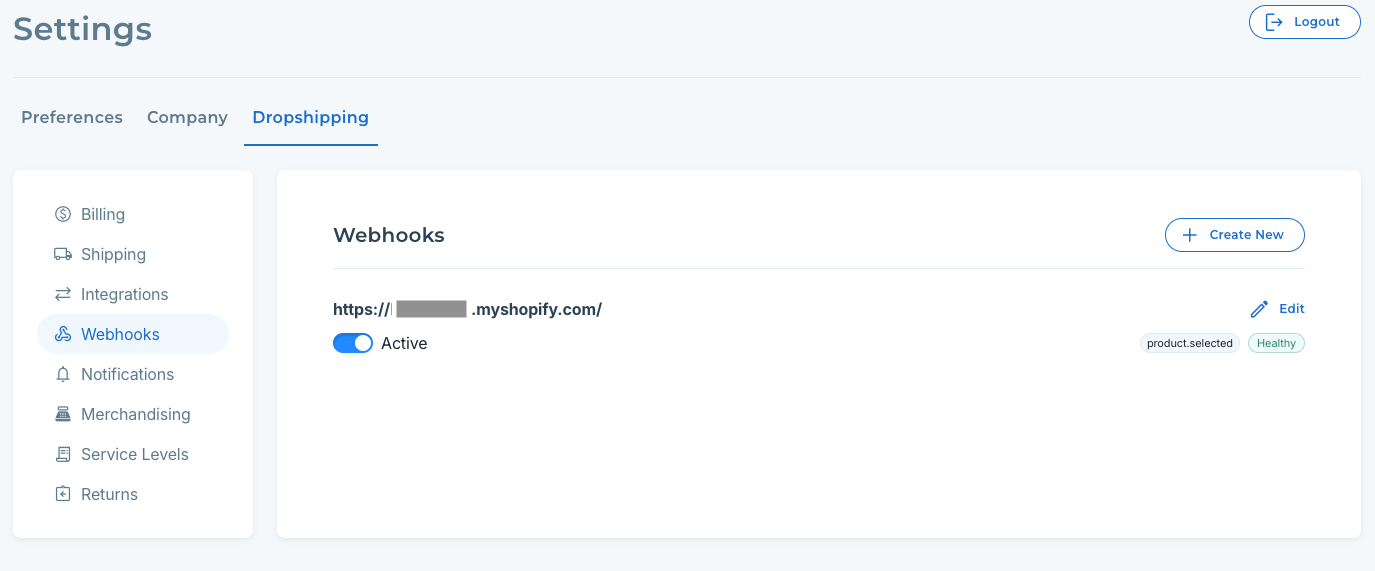
Creating a new configuration
To create a new webhook, you'll need:
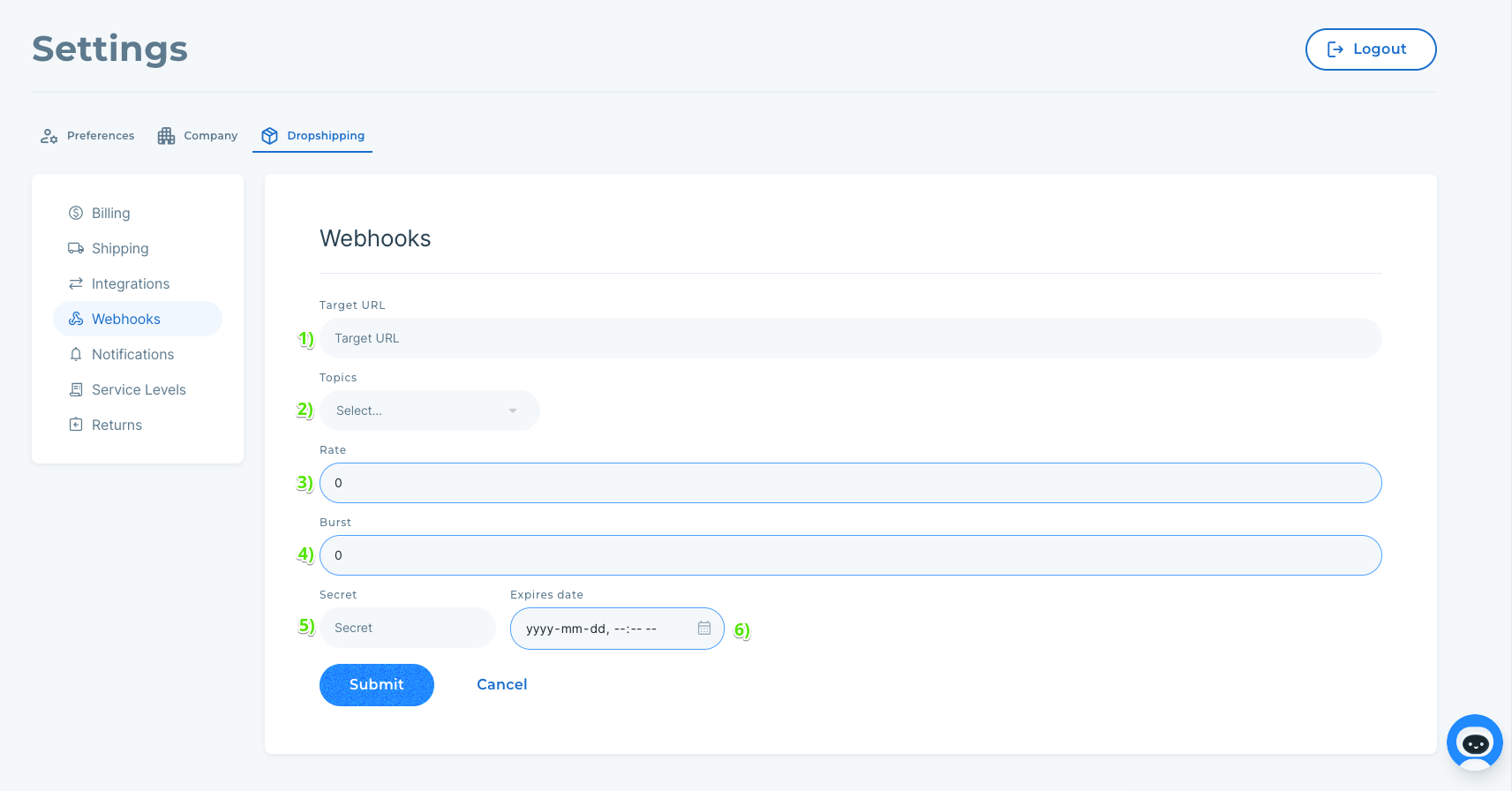
A publicly available endpoint capable of consuming HTTPS POST requests.
Warning: Target URLs must use HTTPS, be publicly available, not have any authentication.
You can only have a single webhook configuration per target URL.
A list of topics you want your endpoint to notified of.
[Optional] A rate limit that tells us how many requests a second your endpoint can handle.
[Optional] A burst limit that tells us how many requests your endpoint can handle simultaneously.
Tip: The default value of 0 for rate and burst limits means that there is no limit!
A secret value used to attach validation headers to each webhook request sent to your endpoint.
Note: Please refer to this guide to learn more about how secrets work.
A secret expiry date to make sure your validation secrets don't go stale. You can add more secrets after creating your webhook.
When you're ready, click "Submit" to create your webhook configuration!
Editing Existing Configurations
If you choose to edit an existing configuration, you'll see a form similar to the 'create webhook' form:
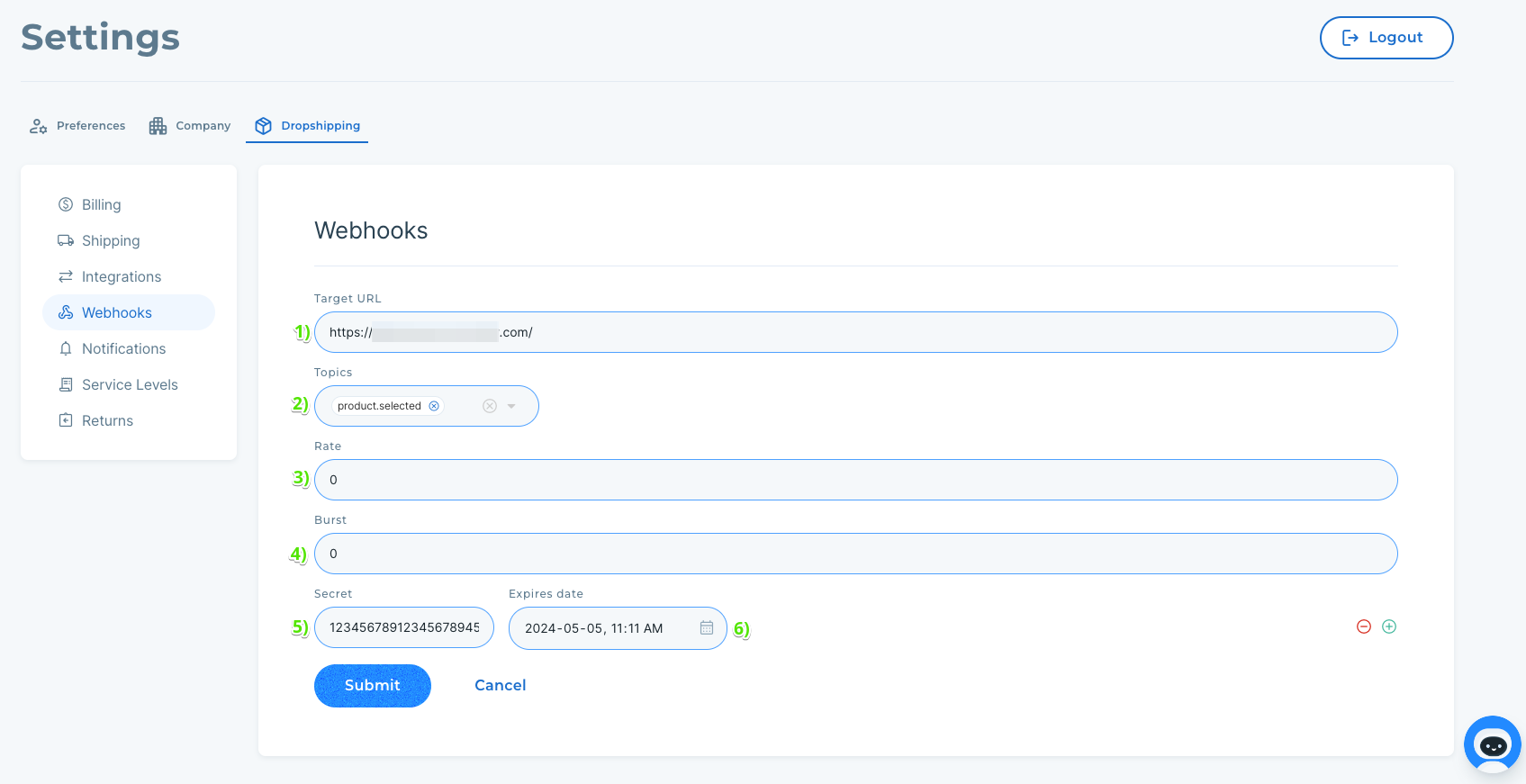
You can edit:
The target URL of your webhook
The topics associated with this webhook
The rate limit of your webhook
The burst limit of your webhook
The ability to add new secrets (Note: New secrets are active immediately)
The expiry date of existing secrets
Note - Secret keys
You are not able to edit the secret value of existing secrets for security reasons. If you wish to change an existing secret, we recommend expiring the existing one and adding a new secret.
Note - Failed Webhooks
A webhook enters a failed state after it has failed to accept requests for 3 days. If a webhooks health becomes 'FAILED', we also deactivate it to prevent us from sending more requests. When it's ready to receive requests again, simply activate it here again, and we'll try again!