
How Can I Confirm That Modern Dropship Can Pull My Products From My WooCommerce Store?
This Article is for Suppliers only, currently WooCommerce is not supported for Retailers.
Modern Dropship pulls products from the WooCommerce API. You can find the documentation for V2 here.
How can this be confirmed?
You can replicate what we are doing by making an API request with your details. There are multiple REST Client tools available, and the screenshot below is Postman.
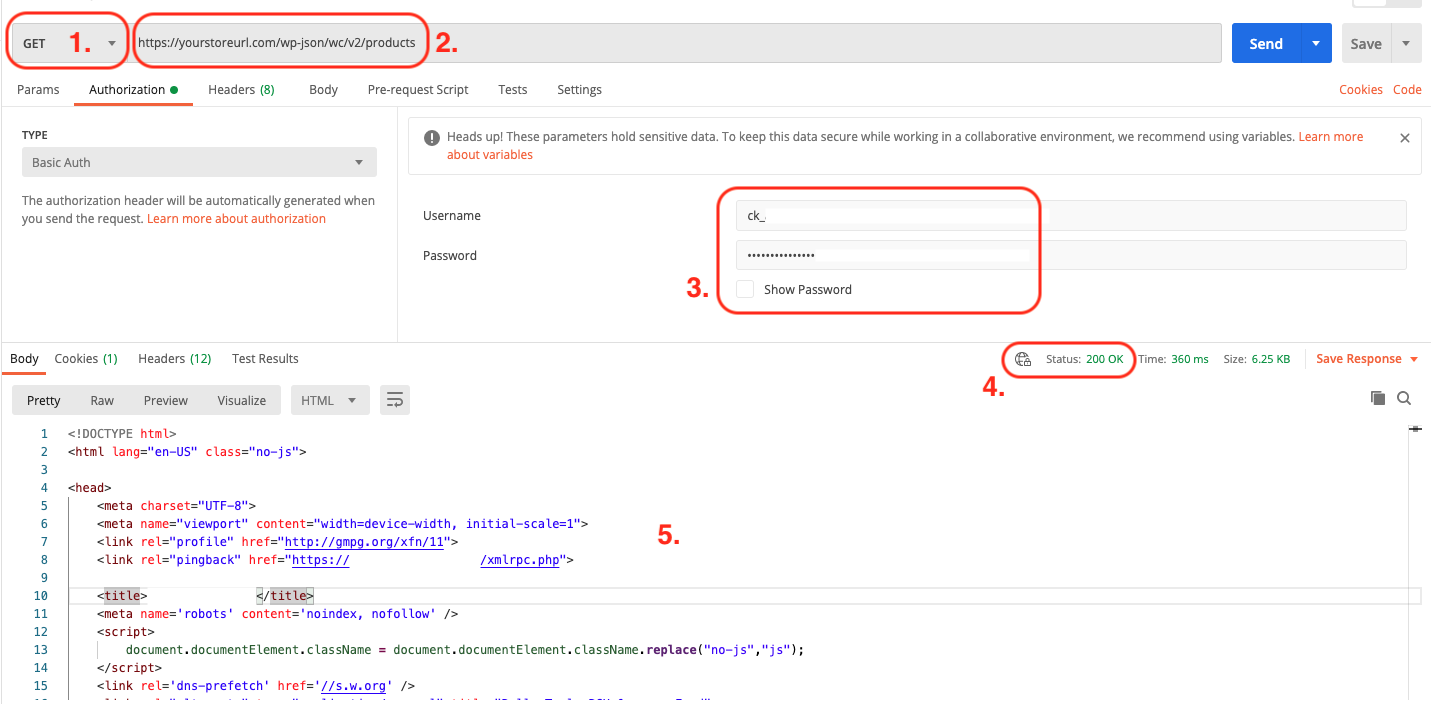
This should be set to "GET". This known through the API documents.
This is your store url plus "/wp-json/wc/v2/products". Again, we know this through the API documents.
For the authentication, you should set type as "Basic Auth" (on the left). You will need to set your consumer key in the top textbox and consumer secret in bottom one. These are the same credentials you provide Modern Dropship during onboarding.
This is the status code. Without getting into too many details, "Status: 200" means the request was successful and a response was received (not necessarily the correct response). "Status: 404" means your store URL was not found. You most likely need to confirm section #2. "Status: 403" is unauthorized and your credentials are not correct.
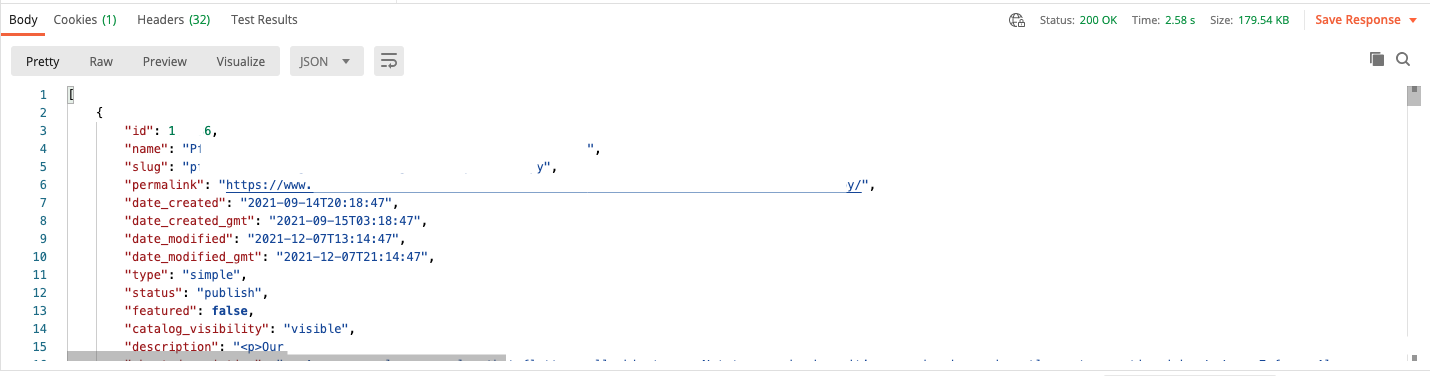
This is the actual response. In the example above, we are receiving HTML code back. This is wrong. Below is an example of a correct response.
This is what the JSON response would look like:
How can this be fixed?
Your best resource for moving forward is the documentation by WooCommerce. You can use the tools above to verify the setup. If you are still having issues, please contact us at support@moderndropship.com.
What about retries?
We run our product syncs every single hour. It's safe to say that if products are not showing on the Product tab of the Modern Dropship dashboard within 2 hours after you've made corrections on WooCommerce, then the store-specific setup issues have not been resolved.