
Connecting WooCommerce
Warning: WooCommerce integration is available for Suppliers only and is not currently offered for Retailers.
*If you need to change your WooCommerce URL after entering your credentials, please contact support*
1. Connect Platform
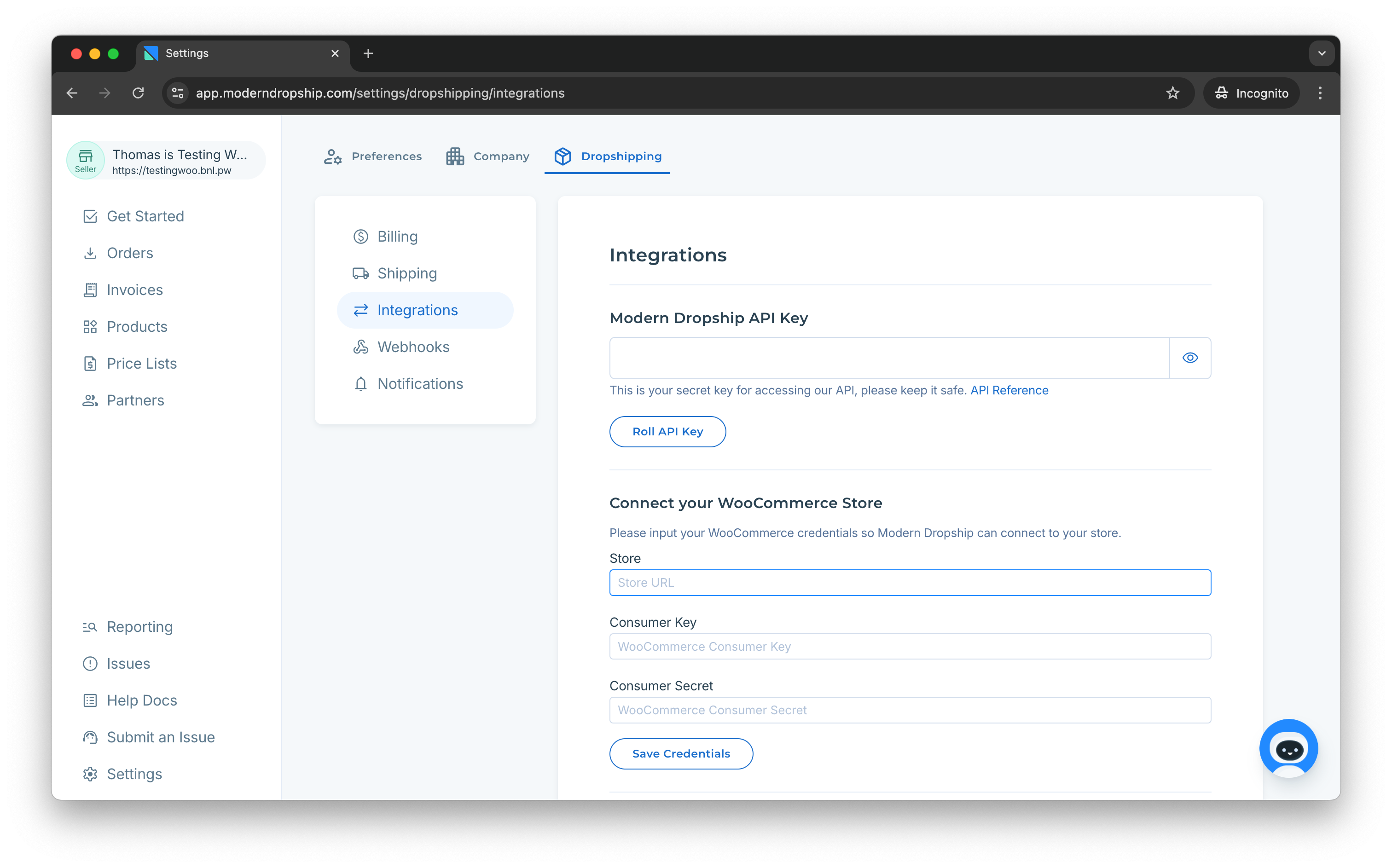
If you’re using WooCommerce, ensure that you selected WooCommerce when your account was created. To double-check this, you should be able to see "Connect your WooCommerce Store" in the Integration Settings. If you do not see this section, please contact support@moderndropship.com.
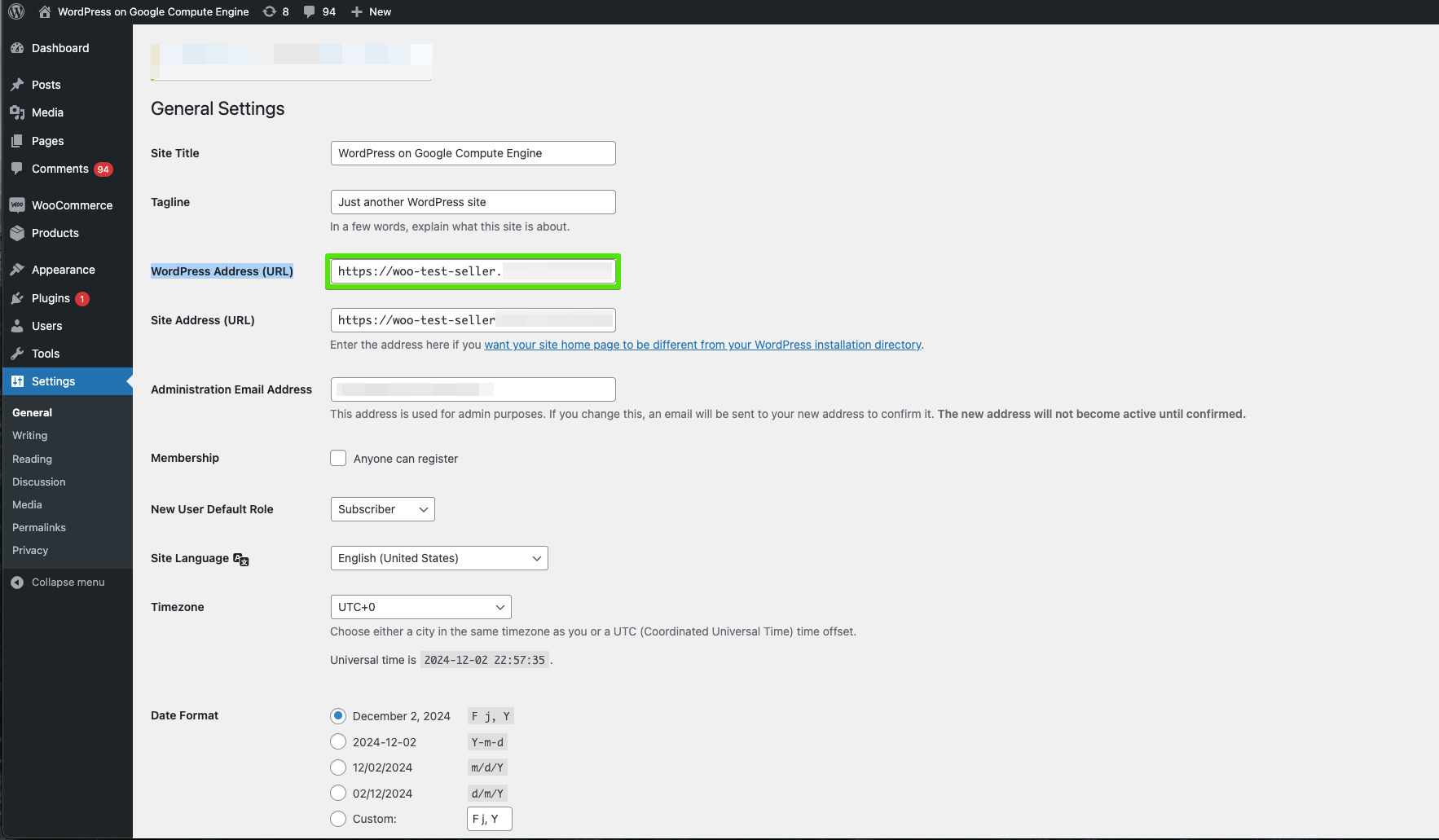
You will need to provide the WordPress Address (URL) of your store during sign-up. You can find the URL in the Settings > General section of your WooCommerce backend.
2. Create an API Account
In order to connect with your store, you will need to provide Modern Dropship with the "WooCommerce Consumer Key" and the "Consumer Secret" so that we can connect with your store.
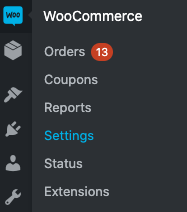
In WooCommerce > Settings > API > Advanced > RestAPI


Click "Add Key" button, from there, you will see your new Key Details:
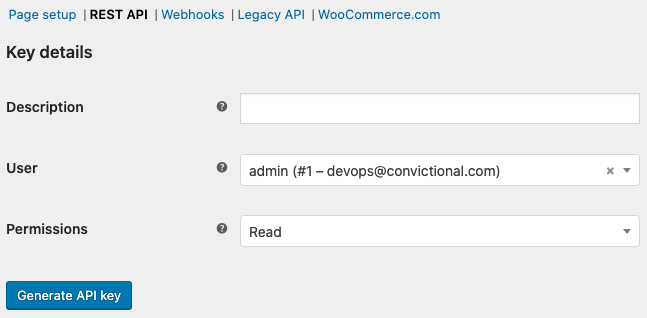
Title your description with an easily-identifiable title and then set the Permissions to "Read/Write"
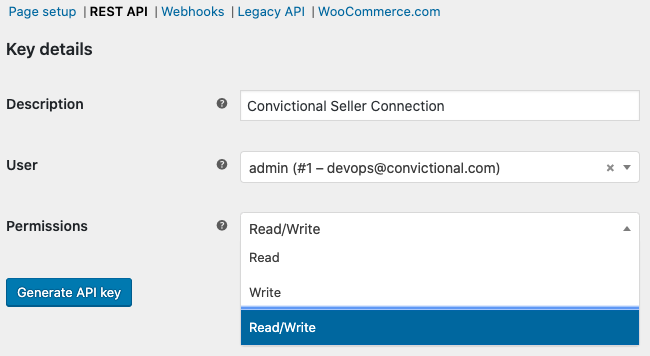
Click "Generate API Key" and you will generate new API Key details.
3. Grant Permissions
Copy/paste the "Consumer Key" and "Consumer Secret" key back into Modern Dropship Settings and click "Save Credentials"
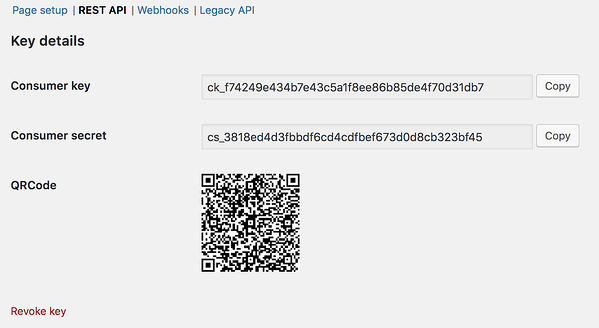
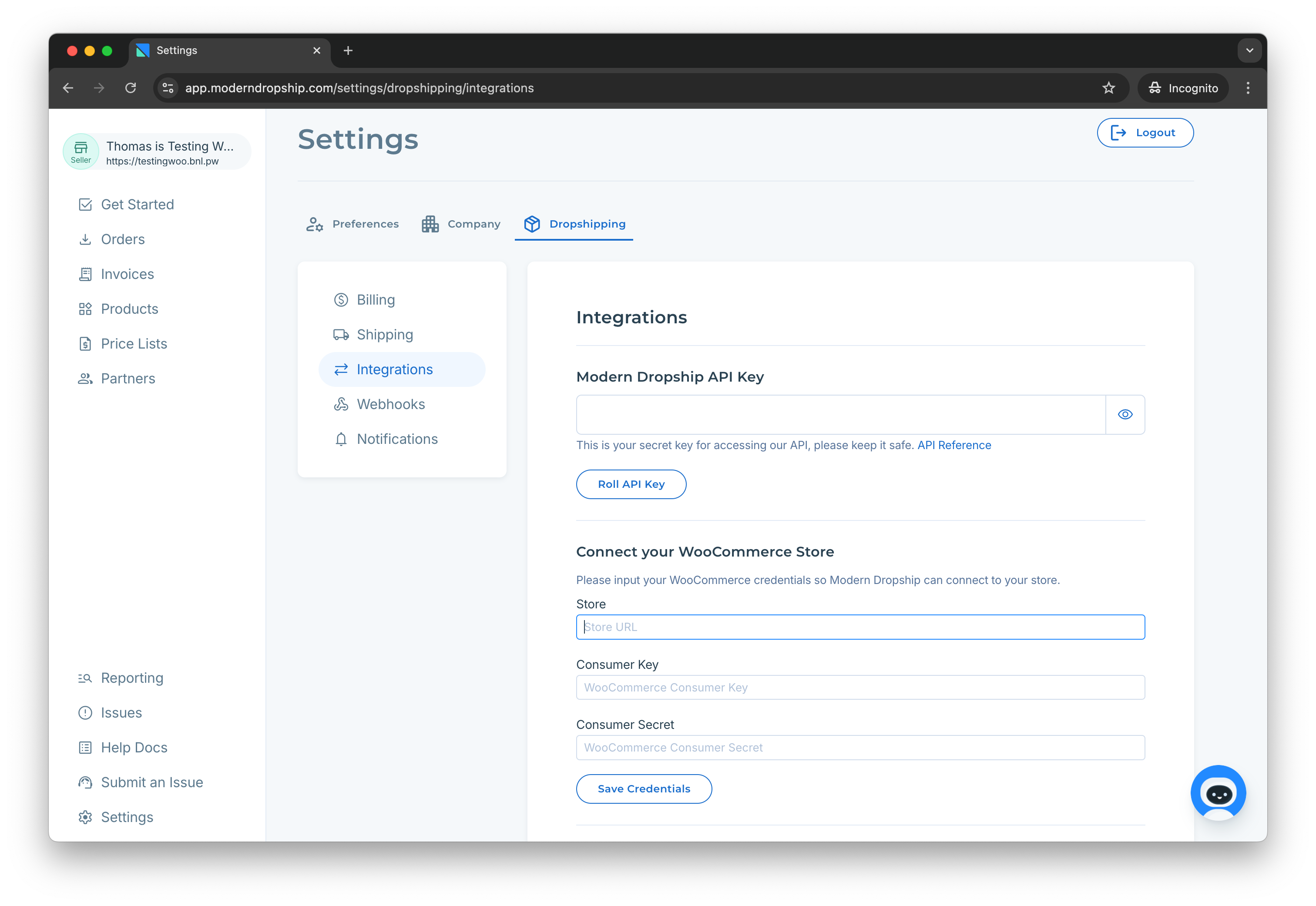
Within 30 minutes, your products will be visible within the Products tab.
4. Download WooCommerce Shipment Tracking App
Download the official WooCommerce Tracking App so that tracking information can be passed to Modern Dropship. Without the app installed, we will be unable to receive tracking from WooCommerce.
Modern Dropship requires that all fulfillments for orders placed through Modern Dropship have a carrier and tracking number.
By default, we will sync active products, inventory counts, and order fulfillments. When your buyer receives or directly submits an order for your product, we will pass that order back into your store so that you can fulfill it.
Tip: If you need to allow-list our services in your firewall, our requests originate from 34.27.67.179.