Adding Seller Service Level Agreements (SLA)
Buyers can create and measure Service Level Agreements (SLAs) for their sellers, enforcing accountability in their relationships.
Seller responsibilities, like fulfilling orders and providing quality products with low return rates, are essential for customer experience. Once an SLA is established, buyers can assess if their expectations for a positive customer experience have been met.
Setup
There are currently two variables enforceable through SLAs:
Ship Times
Return Rates
Determine Your Expectations
Clarify and communicate service level expectations to sellers. These expectations should align with industry standards and the types of products offered. Each industry and product type has specific service level norms, so use the average expectations of your industry if no other benchmarks exist.
Setup
Navigate to Settings > Dropshipping > Service Levels
Set Maximum Ship Time for Partners > Input the maximum ship time allowed in order to create a Ship Time SLA. (Ship times are measured by the time between an order being received by the buyer and the seller marking the order as shipped within Modern Dropship.)
Input the maximum return rate allowed in order to create a Return Rate SLA. Return rates are measured by dividing the number of a seller's orders returned by the number of orders fulfilled.
Click "Save" in the top-right corner in order to save your settings.

Note: Sellers integrated with select eCommerce platforms (Shopify) will have their fulfillment pass-through into Modern Dropship automatically.
Measuring Performance
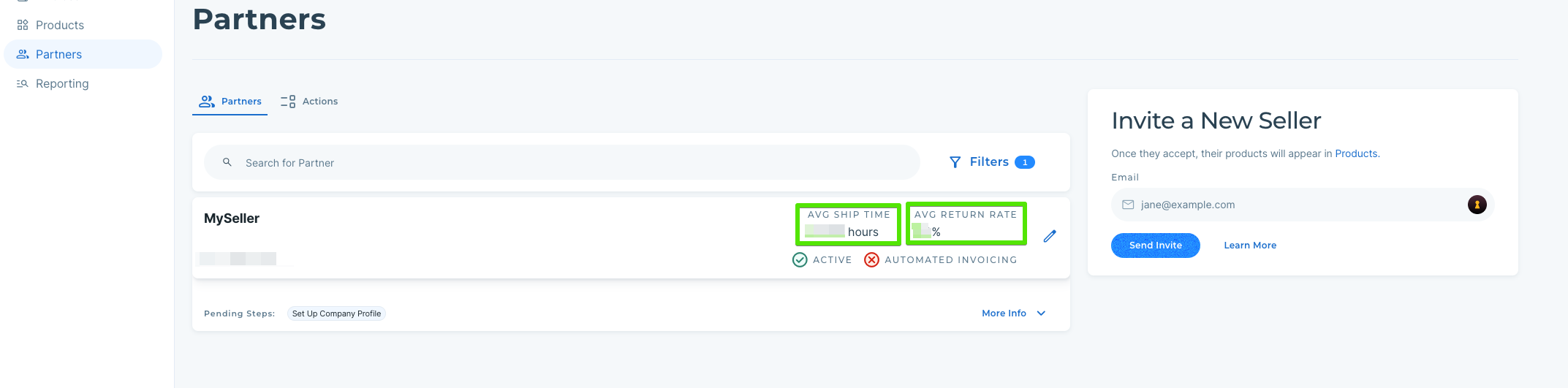
Once your SLAs have been created, each seller partnered with you will be measured against them.
You can measure the performance of each of your sellers in the Partners tab.