
Check Order Status
With Modern Dropship's integrations, you can easily enable your vendors to receive and fulfill the items they are responsible for. Your vendors can fulfill orders either from their existing commerce platform or within Modern Dropship's platform. Keeping track of order status is crucial for managing a drop-ship business that involves vendor fulfillment.
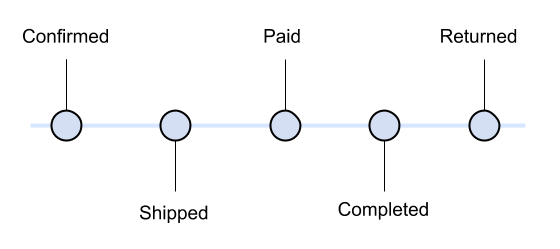
Confirmed
The Confirmed status can have different implications, depending on how your vendor is fulfilling orders - through an integration or directly. For vendors fulfilling orders manually or directly, the Confirmed status indicates that they have been notified of the order via email. For vendors fulfilling orders through an integration, the Confirmed status indicates that the order has been successfully posted to their commerce platform. In either case, the order has been finalized, and the vendor has been notified, ensuring that everything is in the right place.
Shipped
This one is straightforward: have all the line items been fulfilled? If not, this will be set to no. This is the only status item that vendors sometimes have to flip themselves if they do direct fulfillment.
Paid
This status flag answers the question: has this order been paid for in full? If it is set to true, it generally means that the vendor successfully billed the retailer for the order using one of our three approaches to billing.
Paid status does not indicate whether the end-customer has paid for the item. This payment is handled between the customer and retailer. Modern Dropship is only involved in the payment between retailer and supplier.
Completed
This status flag means that the fulfillment confirmation information has been shared with the consumer on your side, or that you have been notified of the final status of the order. At this point, the order is considered archived, and with the exceptions of returns or other issues, requires no further work.
Returned
This flag indicates whether the order was returned. It's set automatically if you issue a refund for the order through Modern Dropship, or can be set manually by you or your vendor in the event of an inventory return.