Managing Rules
In order to allow for flexibility on certain settings, Modern Dropship has rules that can be customized at both the company and partnership level to assist with ensuring data is synced correctly for each partner. Retailers will manage the majority of these rules, but some are available to the supplier as well.
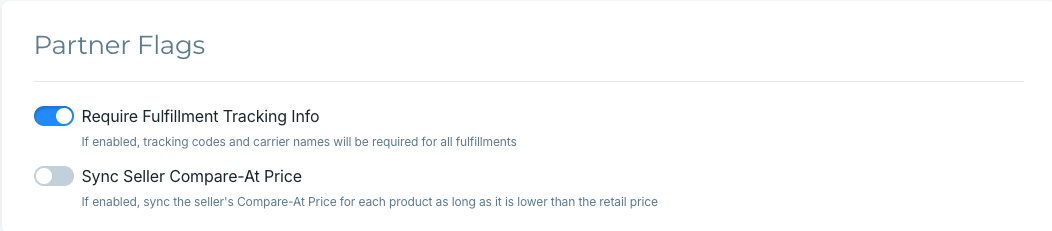
In order to manage these rules effectively, you will need to know the consequences of each rule and how to manage them. To get started, you can visit the Rules Settings in your dashboard:
Company-level Rules
Company-level rules are applied evenly to all partnerships unless there is a specific partnership setting that overrides it.
Allow Overselling - If enabled, allow products to sell regardless of inventory (only applicable if the supplier has overselling turned on in their platform).
Sync Product Tax Status - If your supplier has a product marked as taxable in Shopify, we will sync that through.
Use Retail Price for Compared At - Sync retail price from your supplier's price list to the compared-at field (If you would like to mirror your supplier's compared-at price, you can set this up in your partnership settings).
Sync Shipping Lines on Orders - Includes the shipping rate name in the order details. Both retailer and supplier must have this setting enabled for shipping lines to be added to each order.
Partner-level Rules
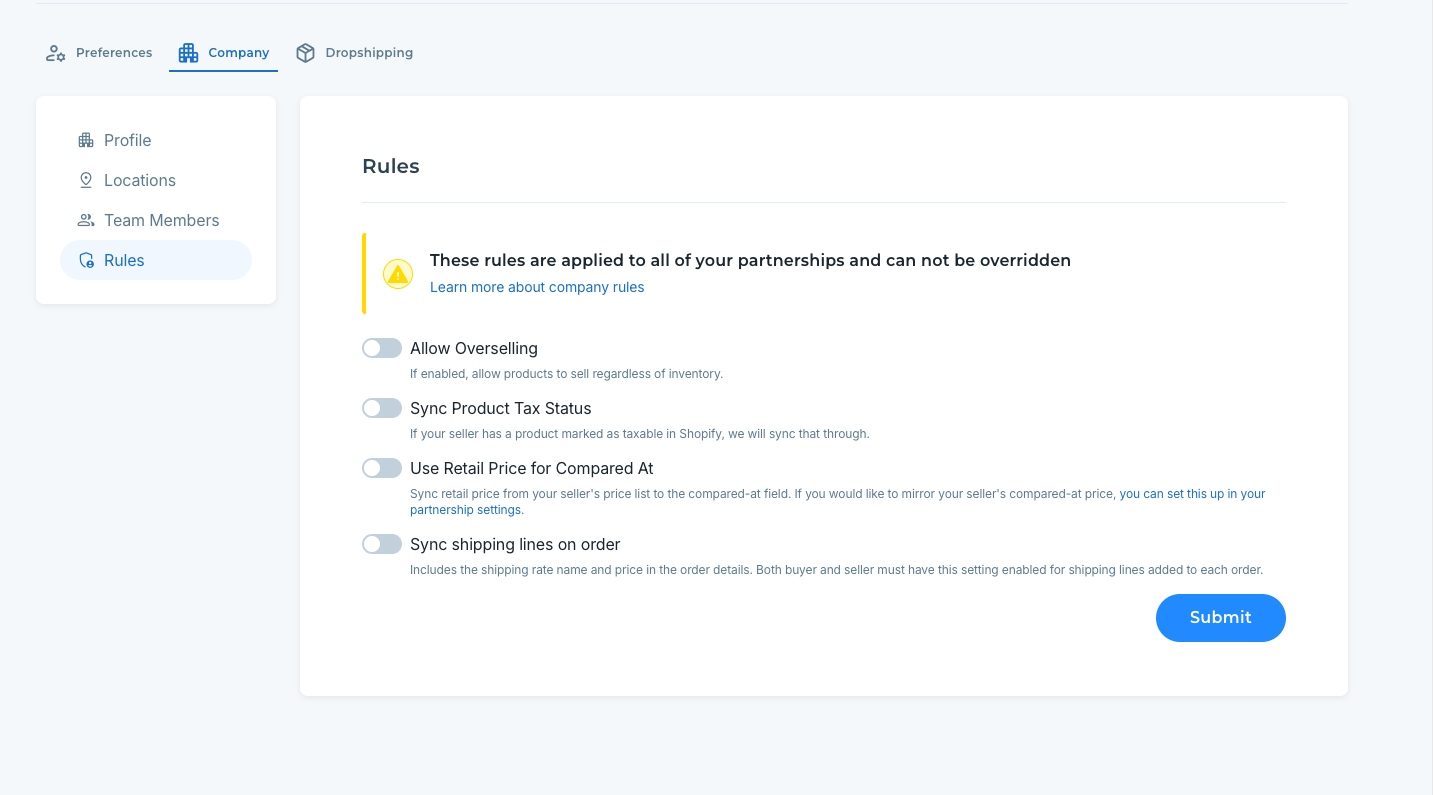
Partner-level rules only affect the partnership they are enabled on.
Require Fulfillment Tracking information - If enabled, tracking codes and carrier names will be required for all fulfillments.
Sync Supplier Compare at Price - If enabled, sync the supplier's Compare-At Price for each product as long as it is lower than the retail price.