
Connecting Easypost
Modern Dropship integrates with Easypost to allow you to share prepaid shipping labels with your partners.
Create an Easypost account
You can create an Easypost account at easypost.com/signup. After creating an account, you will be able to connect your different shipping accounts with Easypost (like USPS, UPS, Canada Post).
You can then access your Easypost API by following the below directions
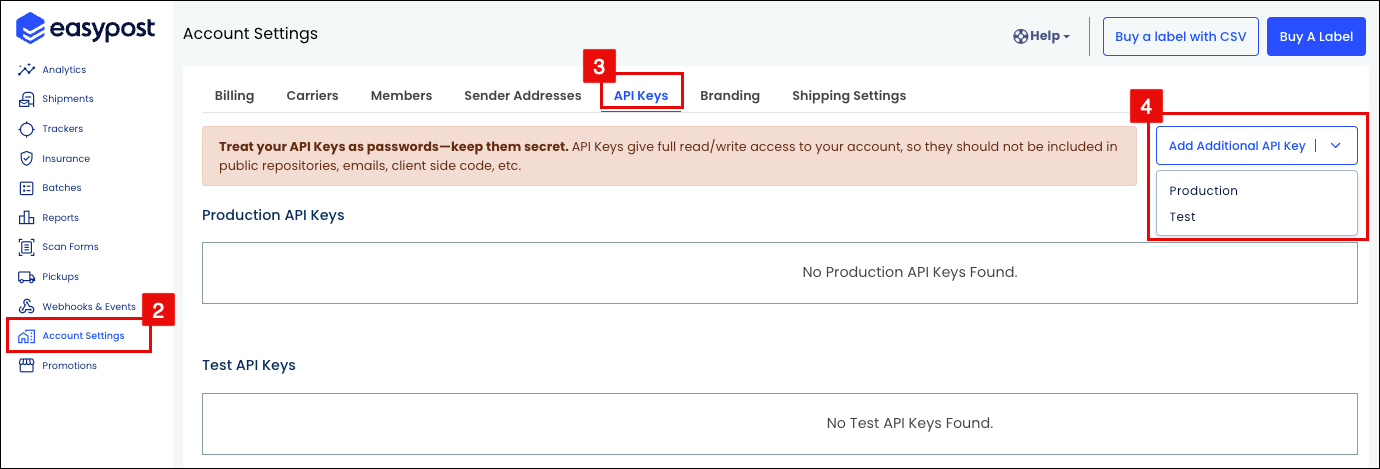
Login to the EasyPost Dashboard.
Navigate to Account Settings.
Select the API Keys tab.
Click the Add Additional API Key dropdown and select Production or Test.
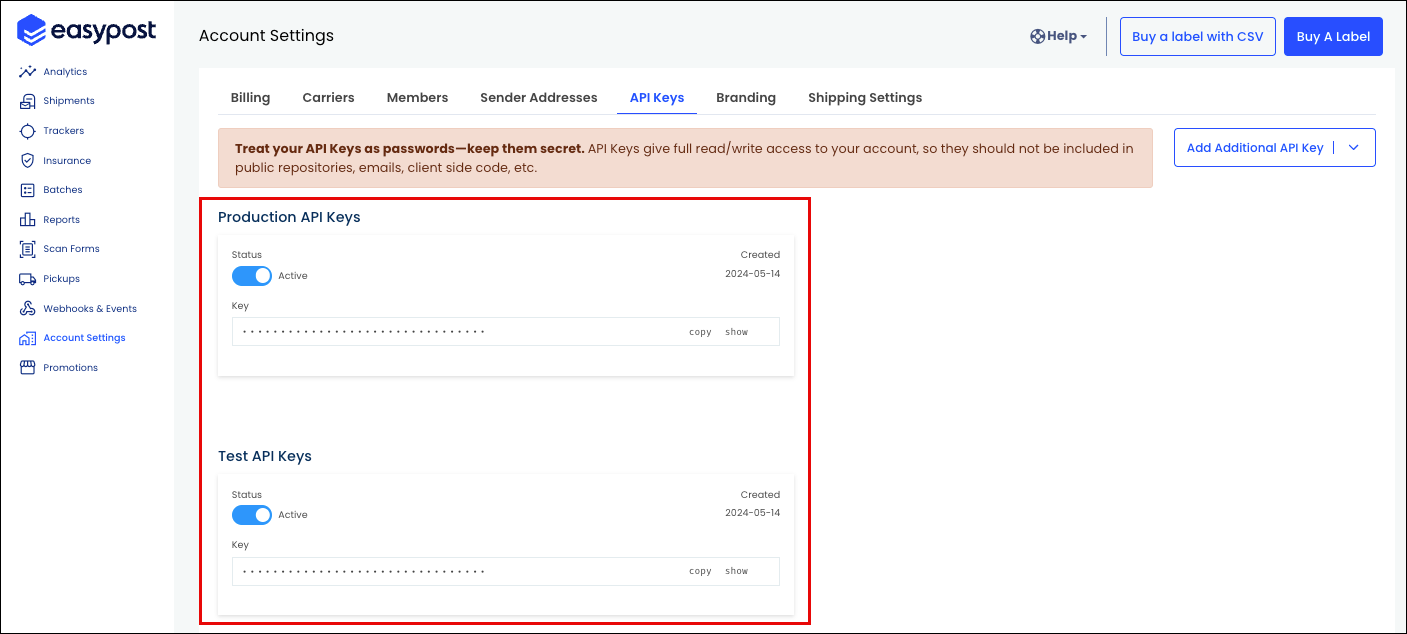
The API Keys will be displayed on the dashboard.
Connect your Easypost account
You can connect your Easypost account either in Settings or through our Getting Started cards.
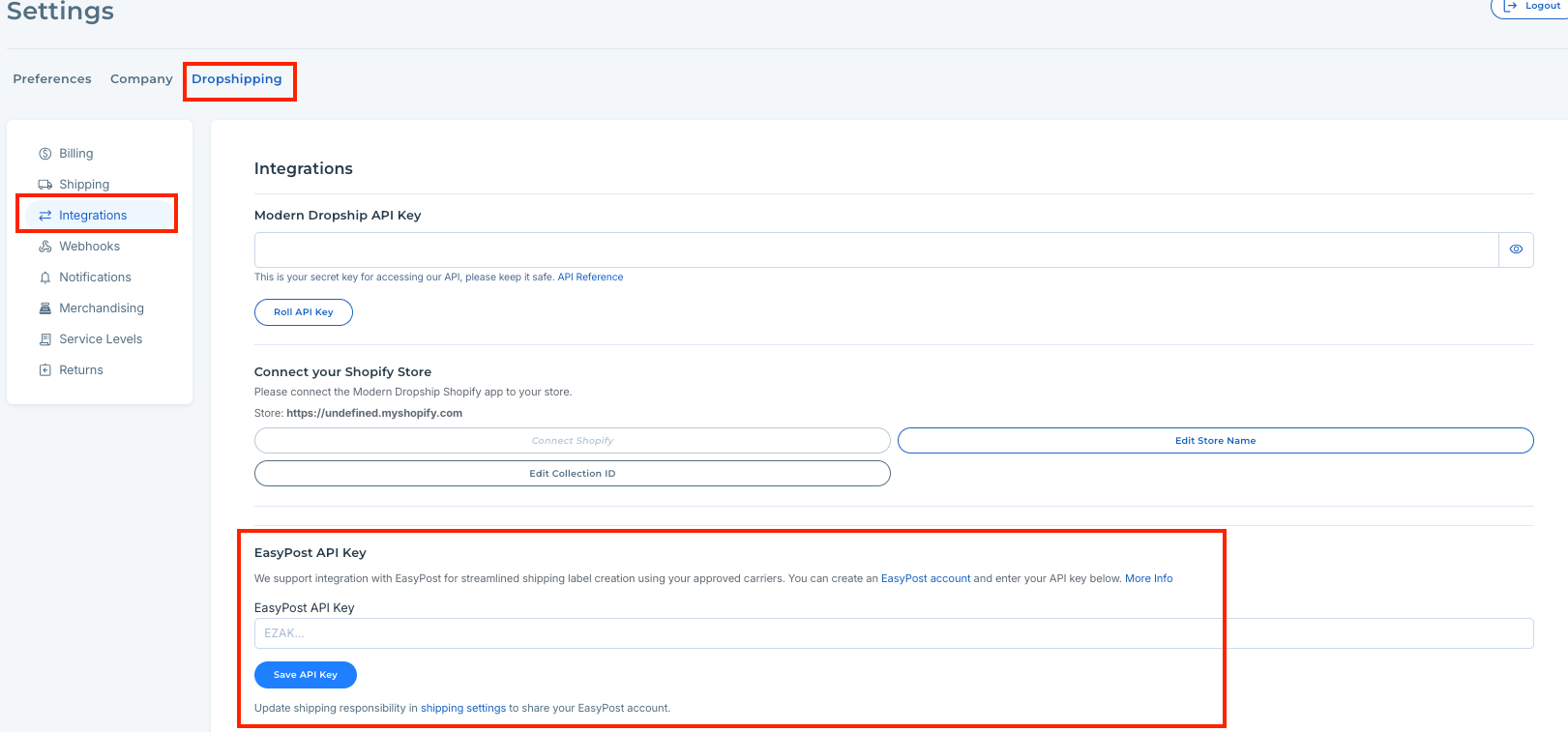
After inputting your API key, you will see that your account has connected:

Watch a Loom walkthrough of adding your Easypost API key to Modern Dropship!
Supplier Experience
After connecting your Easypost account, your suppliers will be able to access prepaid shipping labels that your account provides them through the platform.
Watch a Loom of your supplier's experience downloading prepaid shipping labels.