
Getting Started with the Retailer API
In order to interact with the Modern Dropship API, you need to create an API Key (Settings > Dropshipping > Integrations)
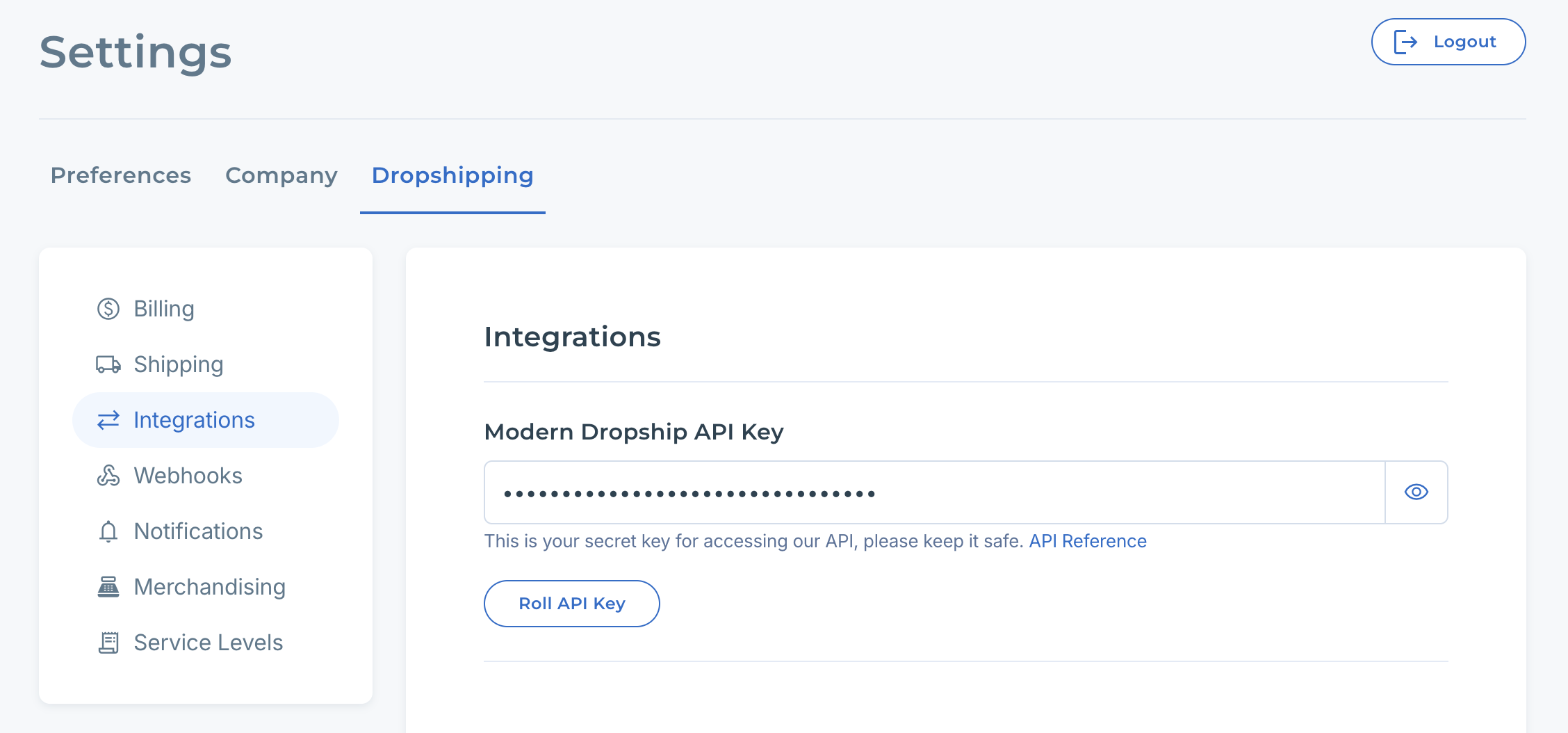
To authenticate with our API, include the API key in the Authentication property of all request headers. A missing key will result in an unauthorized response.
Getting your products
As a retailer, your account will have products only if you have partnered with a supplier who has priced items for you. Once that's done, you can retrieve your items via the products GET endpoint as follows:
curl --request GET \
--url https://api.convictional.com/buyer/products \
--header 'Accept: application/json' \
--header 'Authorization: YOUR_API_KEY'
This will return your items as an enveloped response, and within "data" is an array of JSON objects.
Products contain a variety of properties, but the one we're interested in right now is the variant._id property. This is the internal identifier for a variant, and it's a required property when submitting orders via the Orders API. For now, find a variant and copy-paste the variant ID into a safe place.
Creating an order
You can submit a new order through the API via the orders POST endpoint. A minimal request body may look something like this:
{
  "address": {
    "addressOne": "671 Lincoln Avenue",
    "name": "Kevin McCallister",
    "city": "Winnetka",
    "state": "IL",
    "country": "US",
    "zip": "60093"
  },
  "items": [
    {
      "variantId": "1d61779c1ed12a5bbf13e4638271ac68",
      "buyerReference": "InternalVariantID",
      "quantity": 4
    }
  ],
  "buyerReference": "MyReferenceNumber",
  "orderedDate": "2020-02-22T10:00:00.000Z",
  "created": "2020-02-22T10:00:00.000Z",
  "note": "Don't touch door."
}
Several properties can be used to attach identifying information to an order, helping you associate your system's orders with those in Modern Dropship. For instance, Note that there is several properties that you can use to attach identifying information to an order to help you associate orders in your system with orders in Modern Dropship. For example, the items.buyerReference should be your internal identifier for a variant, while the root-level buyerReference serves as your internal identifier for the entire order.
The items.variantId property must contain the Modern Dropship identifier for a variant obtained in the previous section when retrieving products.
This request would be:
curl --request POST \
--url https://api.convictional.com/buyer/orders \
--header 'Accept: application/json' \
--header 'Authorization: YOUR_API_KEY' \
--header 'Content-Type: application/json' \
--data '{"address":{"addressOne":"671 Lincoln Avenue","name":"Kevin McCallister","city":"Winnetka","state":"IL","country":"US","zip":"60093"},"items":[{"variantId":"1d61779c1ed12a5bbf13e4638271ac68","buyerReference":"InternalVariantID","quantity":4}],"buyerReference":"MyReferenceNumber","orderedDate":"2020-02-22T10:00:00.000Z","created":"2020-02-22T10:00:00.000Z","note":"Please ship this extra fast"}'
If successful, you will receive an HTTP 200 response with the order ID in the body.
Getting recently updated orders
Once an order was made, there are currently 4 statuses that you can monitor to see how the order is progressing:
- posted
- invoiced
- refunded
You can read a little more about how that all works here.
Since you can create an order for many different variants, from different vendors, Modern Dropship will identify the appropriate orders to create in the supplier's system. The posted flag tells you if that has happened.
Once a vendor has your order, it's up to them to ship that item to the customer. The fulfilled flag on a supplier order tells you if that has happened. Fulfilled will only be true once all the line items of that suppliers order are shipped.
You can access orders you've made via the retailer orders GET endpoint. Alternatively, if you know the Modern Dropship order ID, you can also access a specific order via the retailer GET order by ID endpoint.
To monitor for recently changed orders, you can use the updatedMin query parameter like so:
curl --request GET \
    --url 'https://api.convictional.com/buyer/orders?page=0&limit=50&updatedMin=2020-03-01T00:00:00.000+00:00' \
    --header 'Accept: application/json' \
    --header 'Authorization: YOUR_API_KEY' \
    --header 'Content-Type: application/json' \