
How to Update All Margins in a Price List
This guide outlines how to update all of the retail margins in an active price list.
If you do not yet have a price list created, refer to our Pricing Setup Guide.
To start, navigate to the Prices page and select the price list you wish to modify. You will see a list of Price List Entries:

Navigate to the right-hand side of the screen to view your Dropship and Wholesale Margins:
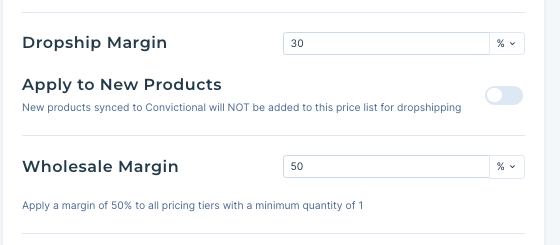
To modify either your Dropship or Wholesale margins, input a new number value into the margin field.
Click "Save Price List Configuration":

You will see a Success Confirmation in the top-right corner of the screen.
To see your updated Price, refresh the list. If you had updated margins like in this tutorial, you'll see those changes:

If you still have questions, please check out our other guides or contact our support team.